
Download Writers Brew – AI Writing Assistant, Free, Secure, Cross‑Platform
Overview – Boost Your Writing Productivity
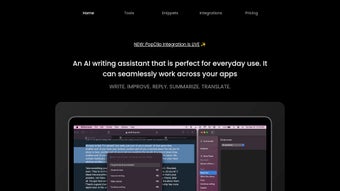
Writers Brew is an AI‑driven writing companion designed to accelerate content creation across any platform. Whether you are drafting a blog post, polishing an email, or generating quick summaries, this tool provides a suite of intelligent presets that turn vague ideas into polished text in seconds. The application runs inside any modern browser, making it universally accessible on Windows, macOS, Linux, Android, and iOS (the latter is currently in beta).
Its standout feature, the “Brew Magic Writer,” crafts creative passages from a single prompt, while the “Smart Reply to Email” shortcut injects context‑aware replies directly into your favourite text editor or a floating mini‑window. Integration with Raycast adds a layer of developer‑friendly shortcuts for grammar fixes, fluency improvements, translations, and on‑the‑fly content summarisation. For power users, the “Build Your Own Presets” module lets you design custom workflows that match your unique voice and industry jargon.
In short, Writers Brew merges the flexibility of a web‑based service with the speed of a native app, delivering a cost‑effective solution that scales from solo freelancers to large editorial teams.
Core Features & Customisation Options
What Sets Writers Brew Apart?
- 50+ Ready‑Made Presets: From “Explain Like I’m 5” to “Summarise & Takeaways”, each preset is pre‑tuned for specific writing tasks.
- Brew Magic Writer: Generates original paragraphs, story ideas, or marketing copy based on a single user prompt.
- Smart Reply to Email: Instantly drafts professional replies in Gmail, Outlook, or any web‑based mail client.
- Raycast Integration: Access grammar fixes, fluency enhancements, translations, and summarisation via keyboard shortcuts.
- Build Your Own Presets: Create, save, and share custom prompt templates for recurring projects.
- Multi‑View Access: Use Writers Brew as a dropdown menu, a menubar icon, or a full‑screen application.
- Cross‑Browser Compatibility: Works flawlessly on Chrome, Safari, Edge, and Firefox without additional plugins.
- Secure Cloud Processing: All AI calls are encrypted end‑to‑end, ensuring your drafts remain private.
- Free Tier & Affordable Upgrades: A generous free plan covers most daily tasks; premium plans unlock higher token limits and priority support.
Customisation Workflow
Designing a new preset is a three‑step process: define the objective, craft the prompt template, and assign a hotkey. Writers Brew’s intuitive UI walks you through each stage, offering real‑time previews so you can fine‑tune tone, length, and language style before saving. Once saved, presets appear alongside the default library, ready to be triggered from any text field with a single keystroke. This modularity means you can build a “Legal Brief Summariser” for your law practice, a “Product Description Generator” for e‑commerce, or a “Social Media Caption Creator” for marketing teams—all without writing a line of code.
Installation, Usage Instructions & Compatibility
Getting Started – Simple, Secure Download
Writers Brew is distributed as a lightweight installer for macOS (DMG) and as a progressive web app (PWA) for Windows, Linux, Android, and iOS. To download, visit the official website, click the Download for macOS button, or select Add to Home Screen on mobile browsers. The installer is signed by a trusted certificate authority, guaranteeing a tamper‑free experience. After installation, the app prompts you to create a free account; this step syncs your presets across devices and enables cloud‑based AI processing.
Step‑by‑Step Usage Guide
- Launch the App: Open Writers Brew from your Applications folder (macOS) or via the PWA shortcut.
- Select a Preset: Click the dropdown in the menubar or press the assigned hotkey to view the preset list.
- Enter Your Prompt: Type a brief description of the content you need—e.g., “Write a 150‑word intro for a tech blog about AI ethics.”
- Generate & Refine: The AI returns a draft within seconds. Use the inline editor to tweak tone or add details.
- Insert Directly: With Raycast enabled, press Ctrl + Space to copy the result to the clipboard, or drag the mini‑window into any open document.
- Save Custom Preset (Optional): Click “Create New Preset,” fill out the template, assign a shortcut, and hit Save.
Operating System Support
The application runs on macOS 11+ (Big Sur and later), Windows 10+, Linux distributions with a recent Chromium engine, Android 8.0+, and iOS 14+ (beta). Because the core engine is browser‑based, performance is consistent across platforms, and updates are delivered automatically via the cloud, eliminating the need for manual patching.
Pros & Cons, Frequently Asked Questions, and Final Verdict
Pros
- Extensive preset library saves time on repetitive writing tasks.
- Custom preset builder offers unparalleled flexibility for niche workflows.
- Raycast integration streamlines editing without leaving the keyboard.
- Cross‑platform availability ensures you can write anywhere.
- Secure, encrypted AI processing protects confidential drafts.
Cons
- Full‑featured desktop app currently limited to macOS; Windows users rely on the PWA.
- iOS native app still in beta, lacking some desktop shortcuts.
- Free tier imposes a modest token limit that power users may outgrow quickly.
Frequently Asked Questions
Is Writers Brew really free to use?
Yes, there is a free tier that includes access to all 50+ presets and up to 5,000 AI tokens per month. Premium plans start at $9.99 per month for higher limits and priority support.
Can I use Writers Brew offline?
The core AI generation requires an internet connection because processing happens in the cloud. However, the editor, preset manager, and local shortcuts work offline; you’ll simply see a “Connect to Internet” notice when you attempt to generate new content.
How does Writers Brew protect my data?
All communications between the app and the AI servers are encrypted with TLS 1.3. Drafts are never stored permanently unless you choose to sync them to the cloud, and even then they are encrypted at rest.
Is there a limit on the number of custom presets I can create?
The free plan allows up to 10 custom presets. Premium subscribers enjoy unlimited preset creation and the ability to share them with team members.
How do I get support if I encounter a bug?
Support is provided through a dedicated help centre, live chat for premium users, and a community forum where developers share tips and workarounds.
Conclusion – Should You Download Writers Brew?
Writers Brew delivers a compelling blend of AI creativity and practical workflow tools that make it stand out in a crowded market of writing assistants. Its extensive preset library, coupled with the ability to craft bespoke prompts, means you spend less time fiddling with wording and more time focusing on ideas. While Windows users currently rely on the PWA version, the performance remains smooth, and upcoming native updates promise to close that gap. For freelancers, content teams, and anyone who writes daily, the free tier offers enough horsepower to test the waters, and the low‑cost premium upgrade scales beautifully as your needs grow. If you value a secure, cross‑platform solution that integrates with your existing keyboard shortcuts, downloading Writers Brew today is a smart move.
Download Writers Brew Now


.png)



